TRENDING ON FINEHOMEBUILDING

previous
  • 2013 HOUSES Awards
    2013 HOUSES Awards
  • 7 Small Bathroom Layouts
    7 Small Bathroom Layouts
  • Basement Remodeling Tips
    Basement Remodeling Tips
  • 12 Remodeling Secrets
    12 Remodeling Secrets
  • Remodeling in Action
    Remodeling in Action
  • 15 Coffered-Ceiling Ideas
    15 Coffered-Ceiling Ideas
  • Read FHB on Your iPad
    Read FHB on Your iPad
  • 7 Smart Kitchen Solutions
    7 Smart Kitchen Solutions
  • 9 Concrete Countertops Ideas
    9 Concrete Countertops Ideas
  • All about Roofing
    All about Roofing
  • What’s the best decking?
    What’s the best decking?
  • The Hobbit House and More
    The Hobbit House and More
  • Clever daily tip in your inbox
    Clever daily tip in your inbox
  • 2014 HOUSES Awards
    2014 HOUSES Awards
  • Outdoor Kitchen Inspiration
    Outdoor Kitchen Inspiration
next
Pin It

Build the Mantelpiece in 3D First

A free 3D drawing tool helps visualize difficult projects before you make your first cut
Length: 0:53
Produced By: Steve Lombardi

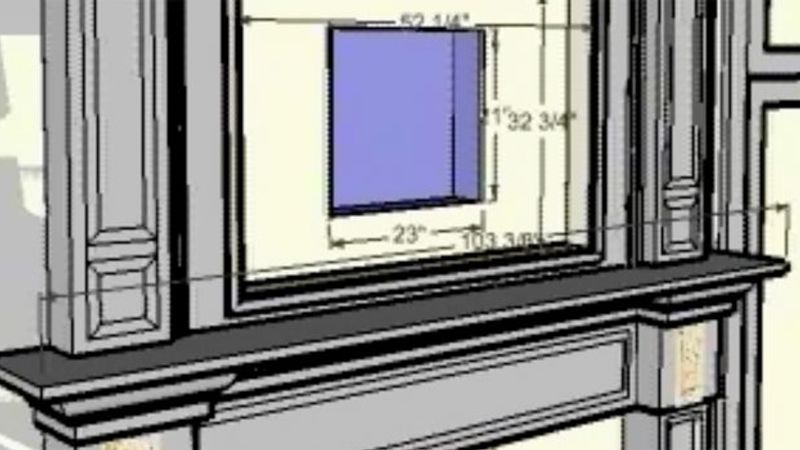
Contributing editor Gary M. Katz says that he first starts complicated projects with a drawing. When a flat-screen television complicated the building of an intricate mantel (Fine Homebuilding 186, pp. 86-91), he tried a new type of drawing tool.

Using SketchUp, a free software program from Google that simplifies 3D design, Katz said he was able to better visualize the dimensions and proportions of the mantelpiece. To illustrate this idea, we created a 3D animation from Katz's original SketchUp file that shows the mantel from multiple angles.

If you want to give it a try, download the same SketchUp file, plus view step-by-step photos of the project, at Katz's Web site: www.garymkatz.com/TrimTechniques/flatscreen_mantelpiece.htm.

To download SketchUp, visit www.sketchup.com.

From Fine Homebuilding 186
April 1, 2007