Mr. Pythagoras
Ever since the day, back in the ’60’s I believe, that Ed Pythagoras showed up on a jobsite and declared “hey you guys, did you know that if you measure out a 3,4,5 triangle I’ll guarantee you that you have a 90 degree angle?” the carpenter’s job has been much easier. Ed even simplified the job of Google’s geeks because they could apply Ed’s Theorem, as its commonly called, to the programming software for SketchUp. Any lines drawn in the green, red and blue axes are 90 degrees to each other. By using the Measure tool and clicking ends of any two lines you’ll get a diagonal or hypoteneuse dimension. Suh-weeett.
Bryce
Anyone who is familiar with Google SketchUp is also familiar with Bryce. Surprisingly, little is known about Bryce although he shows up frequently in 3D models, the Component Warehouse and discussion groups. Well recenty, some reilable, in-depth research by a National Inquirer has revealed a shocking fact: Bryce’s last name is Pythagoras! Yes, its true, Bryce is a decendent of a great man. Now he’s here at SketchUp, carrying on the family legacy to assure that we can draw and build things square and true. How cool is that?
Layout Time
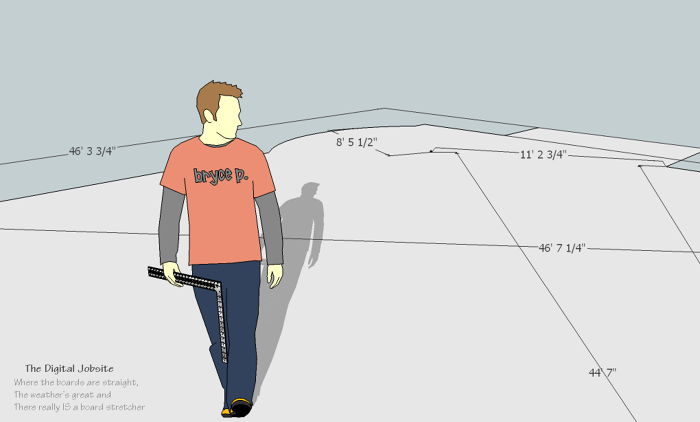
Let’s put Bryce P. to work to make a complex layout job easy and accurate! To prepare for this video I just used the Line tool and, being mindful of the red/green axes, laid out a generic shape with features commonly encountered in layout work. I was sure to include square inside and outside corners, an off-angle bump-out and a step out or two for good measure.
Cliculator:
From that starting point this video begins with Model Setup selections and then walks through steps for layout of a bow-window type bump out. Although these are VERY basic tasks when compared to SketchUp’s vast capabilities, if you’ve done this stuff the “old way” you’re bound to appreciate how easy it is to do with the “Cliculator”… just click and calculate!
Thanks to help from Ed and Bryce, their 3,4,5 theory (well, OK, their A2 + B2= C2 formula) instantly provides accurate, reliable results. To reiterate dialog from the video I usually Orbit to a meaningful view of the model and its dimensions then go File>Export>2D Graphic and then save the image to a Picture folder. From there I print it out to take to the shop or jobsite to apply the dimensions for layout work.
This simple model is available for download from the Google SketchUp Component Warehouse. Go Windows>Components and type Digital Jobsite Collection in the search box. Open the collection, select and download the “Hip to be Square” model to check out how its set up.
Short and Sweet
There you have it. Using this concept of drawing out an outline of a shape for any layout purpose it easy to come up with additional dimensions for accurate layout work. That Ed Pythagoras is a pretty smart guy… I hope he doesn’t plan on retiring any time soon.
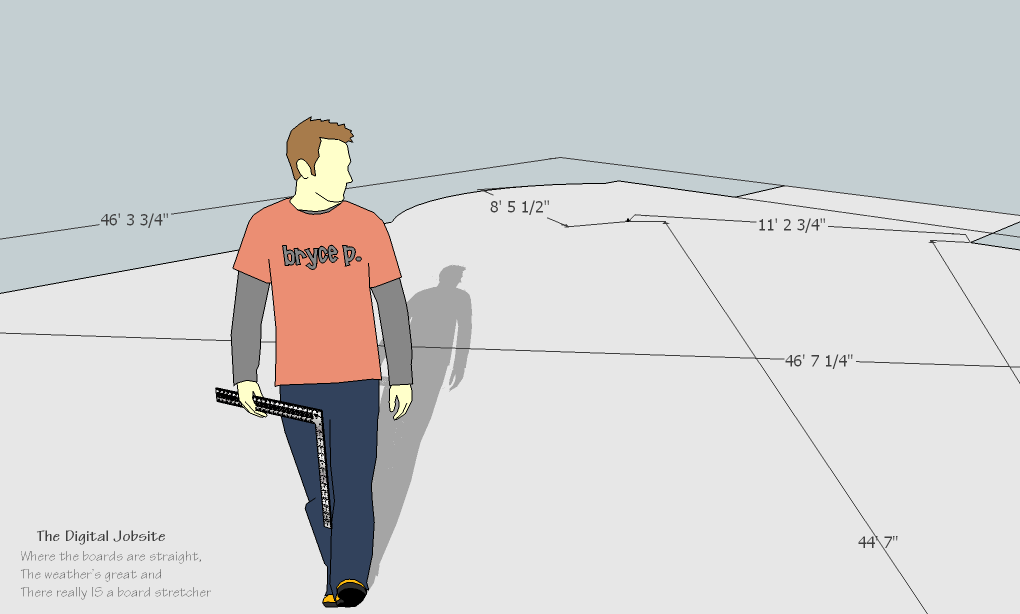
Bryce P. on the job making things square