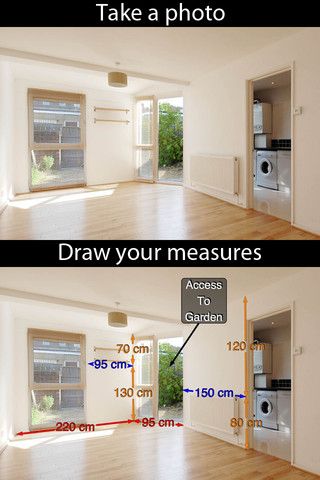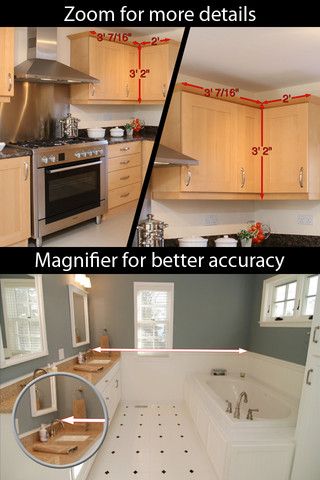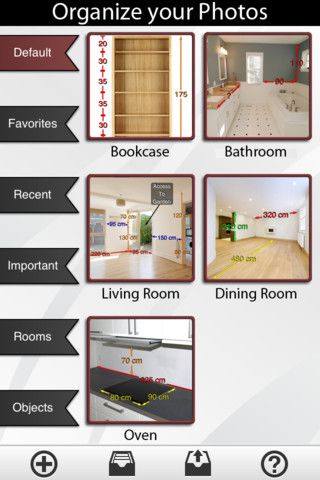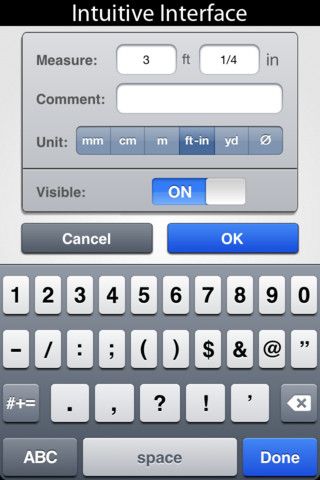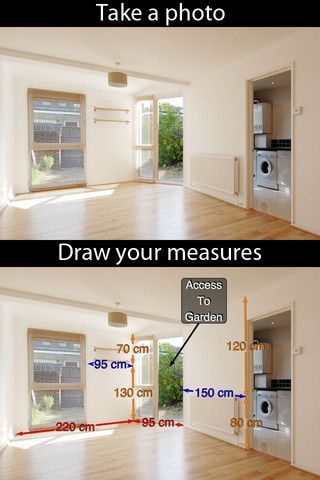
iTunes descirption: Photo Measures is the most elegant and the easiest way to save measures on your own photos on iPhone, iPad and iPod Touch! Constructing a house? Engineering a new project? Moving to a new place? Take some photos and note down the dimensions on the photos to remember the exact layout, and to make sure that everything will fit easily. Need to keep in mind the exact dimensions of an object? Just take a photo and quickly write them on it. Are you decorating? Want to buy a new frame or a new furniture but not sure it will fit? No problem since you can have all your house dimensions always with you!
Photo Measures is an interesting attempt at augmented reality, overlaying custom data on top of a replication photo of the real world. It’s not complex. You take a photo, you add an arrow, you add text, you save or send.
The need for that process is obvious to any contractor who has ever carried a tape measure, that is, all of them. The question is, what is the best medium to document and reference the information?
Traditionally builders use a paper pad to jot down core wall dimensions for things such as carpet, cabinets and windows. Increasingly, this is done electronically, most often through design softwares such as AutoCAD or Chief Architect. Smaller contractors still design on paper, and may continue to indefinitely.
Photo Measures is useful for remote communication. If there is a discrepancy in, say, measurements regarding a run of base cabinets, the on-site carpenter can take a photo, add measurements and email or text it to the cabinet supplier. A picture says a thousand words, so it should be a more effective way to communicate than an email, text or phone call with no photo.
As a personal anecdote, I have measured a kitchen before on paper, then lost the paper. In that case, a digital copy would be useful for quick referencing. A way to get around this is to take a simple photo of paper drawings with the iPhone, which is then easily referenced via the iPhone’s stock Photos app (there’s even a geo-reference feature, so you can search photos by location they were taken – nice for the contractor with 1500 photos on his phone).
Photo Measures may be useful for a carpenter making mental notes prior to making a run to the store. But for many, it won’t matter. The photo is unnecessary. In any case, it is difficult to work in such a small medium, and this is one of the many builder apps that is more applicable on the larger iPad format. It also seems most useful for DIYers, or small shops that do not have other digital design software. In theory, it could replace paper, but for most it won’t. I’d find it quicker to use paper in most instances, and would continue to do so.
At $4.99, it’s a relatively expensive app (though the lite version is free). While I wouldn’t find it worth the money for my business, others might.