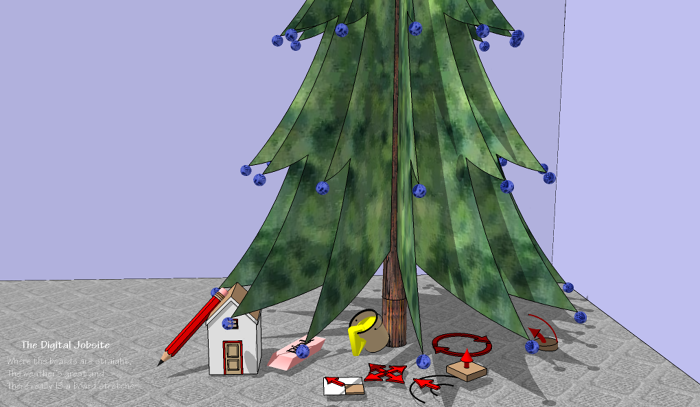
Almost in Time for the Holidays: A Free Visual Construction Calculator!
Maybe you’ve thought of Trimble SketchUp (formerly Google SketchUp) only as a 3D modeling/drawing program, but this extremely useful, and yes, FREE, program makes a great Visual Construction Calculator in its own right. So, maybe you already have your own FREE VISUAL CONSTRUCTION CALCULATOR and will benefit from this tutorial by learning how to use it with a new perspective. If you haven’t downloaded the SketchUp software yet, just CLICK HERE FOR THE FREE DOWNLOAD. The download only takes a few minutes, is available 24/7/365, has no shipping charges, and is in stock in unlimited quantities, so get yours now! It’s a great stocking stuffer too.
Visual Calculator Features:
Ok, you’ve put up with my cheesy advertising “hook” and are skeptical about all the hype I used to get you to download SketchUp. Now that I have your attention (or your fury) I’ll show you some highlights of how effective a Visual Construction Calculator can be. I think one of the best features of using a visual vs handheld/keyed construction calculators is that the more complicated the calculation, the better it works. I’d better point out at this time that the main downside to this approach is that it takes a computer to input variables which is less than practical in many (most?) jobsite settings. I always have a major brand construction calculator in my truck when I’m out on the job, but I strive to work through as many calculations as I can ahead of time for more complete and efficient results.
Quick Start Guide:
In this video l’ll provide answers to the simple fractional math questions from the summary paragraph (I’ll cover the basic volume calculation in the 2nd video below) to help avoid backlash for false advertising. So, boot up your new Visual Calculator and follow along as I use very basic SketchUp tools and functions to quickly provide those answers plus a few more, including standard/metric conversions:
But Wait, There’s More!
I don’t know why I’ve adapted a late night infomercial format for this post. Its going to cast a tacky shadow over what I see as a very worthwhile topic but its too late now… I don’t type very fast and don’t want to start over.
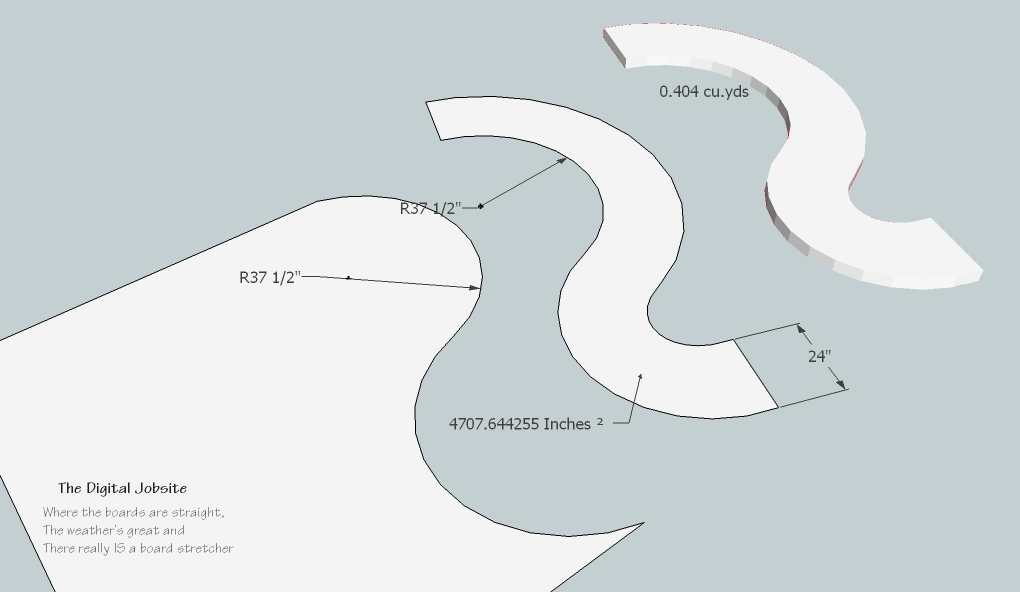
Cheesieness aside, using SketchUp as a Visual Construction Calculator has enough useful features and benefits to make it worth the effort to employ it in all manner of construction related calculations. This video shows how it can be used for unusual and irregular area calcultions in situations where key-in calculators are impractical IMHO. I’ll cover cube volume, cylinder volume, cone volume, tapered column volume along with irregular patio/ sidewalk configuration volumes and whatever else I happen to think of while doing the screen capture video.
Get the Complete Set!
There I go again with the late night bit… hate it when that happens! If veiwer response warrants I’ll post a sequel to this tutorial to demonstrate more applications for the Visual Construction Calculator so you’ll have a “complete set” of functions by covering things like wall area, curved wall area, angled wall/ceiling area (for sheetrock, paint, wallpaper, etc), roof area (shingles, roofing materials), unusual volume figuring as well as arc calculations (without Trig formulas) plus any other construction math problems viewers may have.
Thanks for your interest in The Digital Jobsite…
Merry Christmas from The Digital Jobsite!
-
SketchUp tools under your tree?
-
Solve complex area and volume problems with your FREE VISUAL CONSTRUCTION CALCULATOR!














View Comments
Thanks for this post.you might be interested in checking out fine luxury homes by Brejnik Fine Homes (www.brejnik.ca). They build fine luxury houses. Brejnik team consists of qualified and trusted: Architects, Interior Designers, Appraisers / Lenders, Trades & Suppliers, Geo-technical engineers, Structural Engineers, Arborists, Landscape Architects, Pool & Water Feature Specialists.
Thanxxx for sharing this beautiful post